
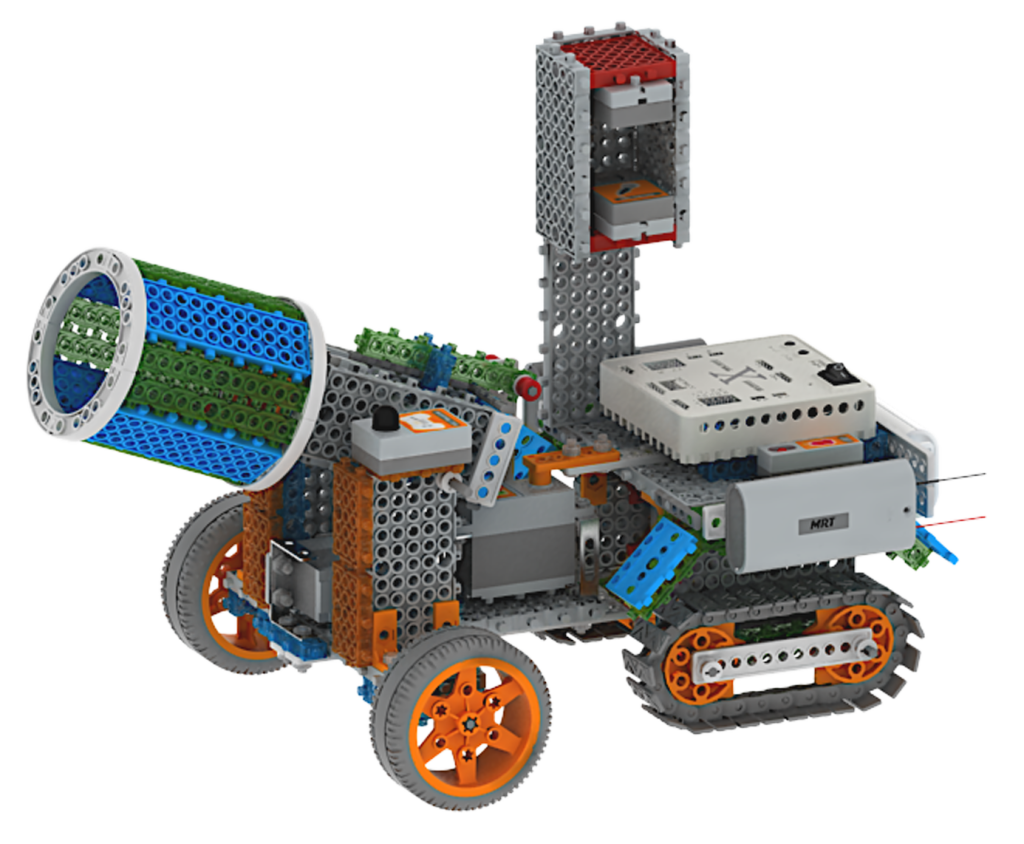
What will you build first?
Pick a model. Build it, test it, then make it your own.
MRT Robotics Engineering 401 Kit — featured robot
MRT Robotics Engineering 401 Kit
Program real robots with the MRT C++ GUI on Windows. Control motors and sensors visually, then explore C++ code as your skills grow.
Learn with 401
Open the matching course to see what you will learn, the lesson list and any available free previews. Full learning follows your course access.
View eLearning →Robot hardware, free previews and registered course access are separate.
C++ GUI graphical coding · C++ editor · Inputs and outputs · Motors and sensors
AUD 550.00 per selected set incl. GST · shipping shown in order total
Shipping shown in order total · Returns policy
From “how does it work?” to “I can code it.”
Explore robot control with the Windows MRT C++ GUI and C++ editor. Connect inputs, motors and sensors to hands-on engineering projects.
A little project.
A bigger discovery.
Every model gives your child something to make, something to notice and a new question to explore.

Code a moving model
Connect a vehicle build to motor-control activities.

Explore rotation
Investigate a rotating mechanism alongside the motor lessons.

Connect inputs and action
Use the project with the course lessons on inputs and outputs.
Curiosity comes first.
Understanding grows with every try.
Prepare your Windows PC
Follow the MRT Robot Coding IDE installation and usage guides.
Understand inputs and outputs
Explore touch and IR inputs alongside DC and servo motor coding.
Build and code
Use graphical controls and the C++ editor with the matching robot projects.
Test and refine
Observe the result, adjust the code and investigate the next change.
Make the link between a program and a physical action.
Practise following a guide, solving a problem and explaining what happened. Rebuilding gives each idea another chance.
Something to build.
A way to understand it.
Installation, inputs, motor coding and flow coding lead into practical robot projects.
View the course & available previews →Ready for your learner?
- A good starting point
- For learners with basic building and robot control experience who are ready to explore coding on Windows.
- Device & software
- Windows PC for the MRT C++ GUI and C++ editor. Follow the course installation guide.
- Matching equipment
- Matching 401 mainboard and robot kit; check the lesson-specific connection and software requirements.
Follow the selected lesson’s setup and connection instructions. Course access and duration are shown in the included learning section below.
Ready for their next “I made it” moment?Choose your kit quantity above and start a new learning adventure.
Choose your kitFree eLearning Access Included
This product includes free eLearning access for the period below. Follow your order and account instructions to activate the included learning.
- 2 Months Full Access: Unlock all lessons across Math Foundations, Coding, and the complete Robotics Course.
- Permanent Access: Core robotics lessons (approximately half) remain unlocked forever — no subscription required.
- * Access is tied to the account created at purchase and is non-transferable.
Target Skills: C++ GUI graphical coding · C++ editor · Inputs and outputs · Motors and sensors
Continue Your STEM Journey
After your 2-month bonus period ends, your core lessons stay unlocked. To keep full access to all advanced modules, simply subscribe.
Kit contents & full specifications
Program real robots with the MRT C++ GUI on Windows. Control motors and sensors visually, then explore C++ code as your skills grow.
Windows PC for the MRT C++ GUI and C++ editor. Follow the course installation guide.
401 and 402 use different mainboards
The 401 course uses Windows MRT C++ GUI / editor. The 402 course uses a different mainboard for Scratch coding. Check the connection guide and exact components before choosing an upgrade.
Compare the 402 kit and its courseQuantity discounts for robot kits
Previous fixed school packs and their bundled services are no longer offered. Choose the kit quantity you need.
10–19 sets · 5% off
5% off the current product price.
20–29 sets · 8% off
8% off the current product price.
30+ sets · 10% off
10% off the current product price.
Shipping: AUD 5 per complete kit, excluding GST. GST of 10% is calculated separately on discounted products and shipping. Review the GST-inclusive total before checkout.
Competition registration, on-site training and dedicated school services are not included in these quantity discounts.
Choose quantity and review total